
feature: Adobe Express mobile layer stack
Adjusted layer stack behavior according to user feedback
Languages used: JavaScript, TypeScript, CSS, HTML
Collaborated with team of two senior engineers, project manager and QA testers to review and launch code
ROLE: Software Engineer
Successfully created and launched a new user-friendly behavior for the Adobe Express mobile layer stack.
double click
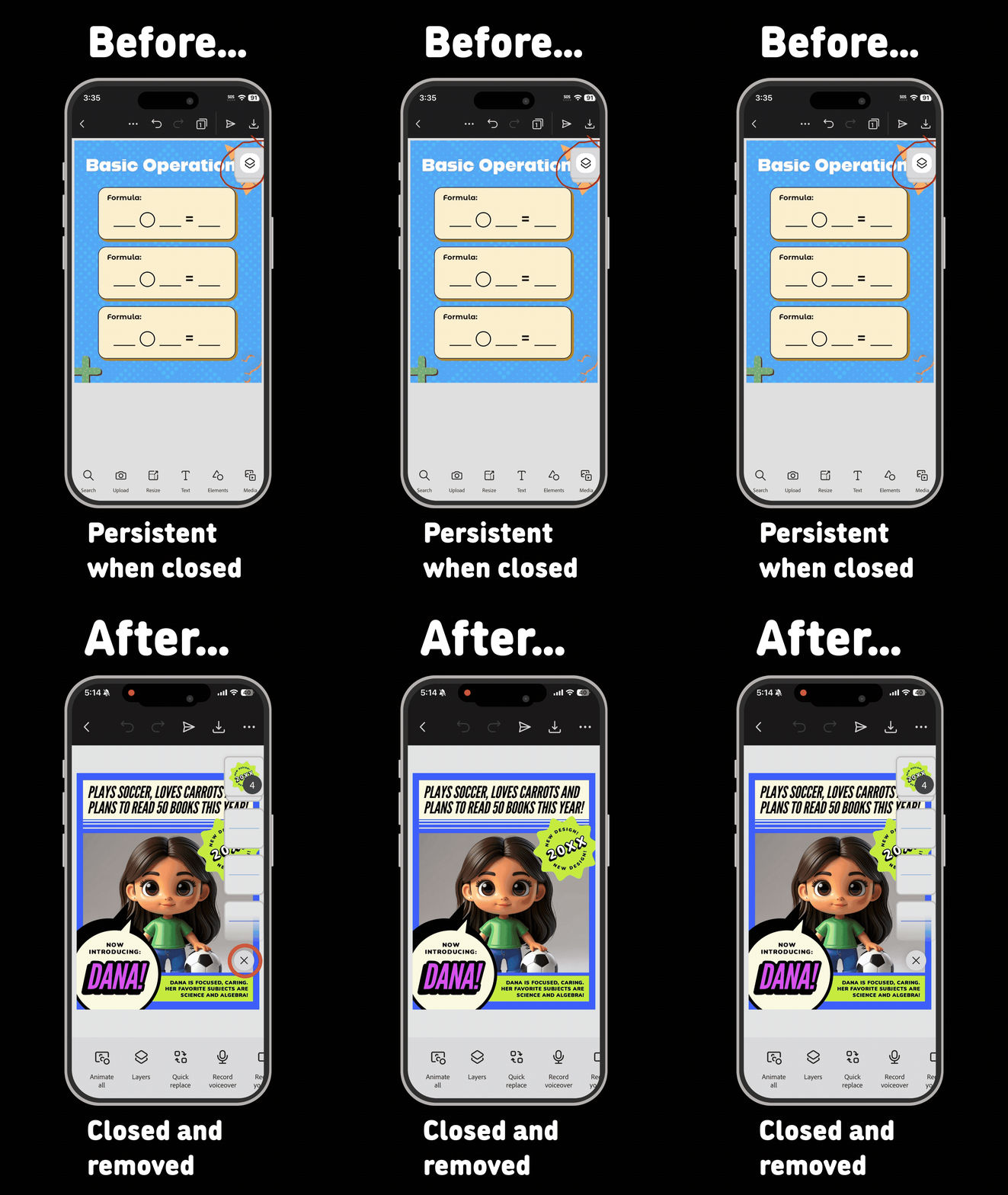
During my 3-month stretch project with the Adobe Express team, I was tasked with adjusting the behavior of the layer stack on mobile. I was asked to transform it from a persistent element on the canvas into a toggle on/off element.
Using Claude and my own problem-solving skills, I created a “toggle close” that completely removed the layer stack with a simple animation instead of the original behavior: the layer stack animating to a “collapse” state on “toggle close” and remaining on the canvas, possibly blocking the user’s view.
I collaborated with project managers and QA testers to ensure the behavior was to scope. I also worked with two senior engineers on the team to ensure all code passed our unit and Circle CI tests before approving and merging into main.
I worked through multiple code modules and learned/employed many of Adobe’s coding guidelines through this feature launch.